Cursor for Disabled
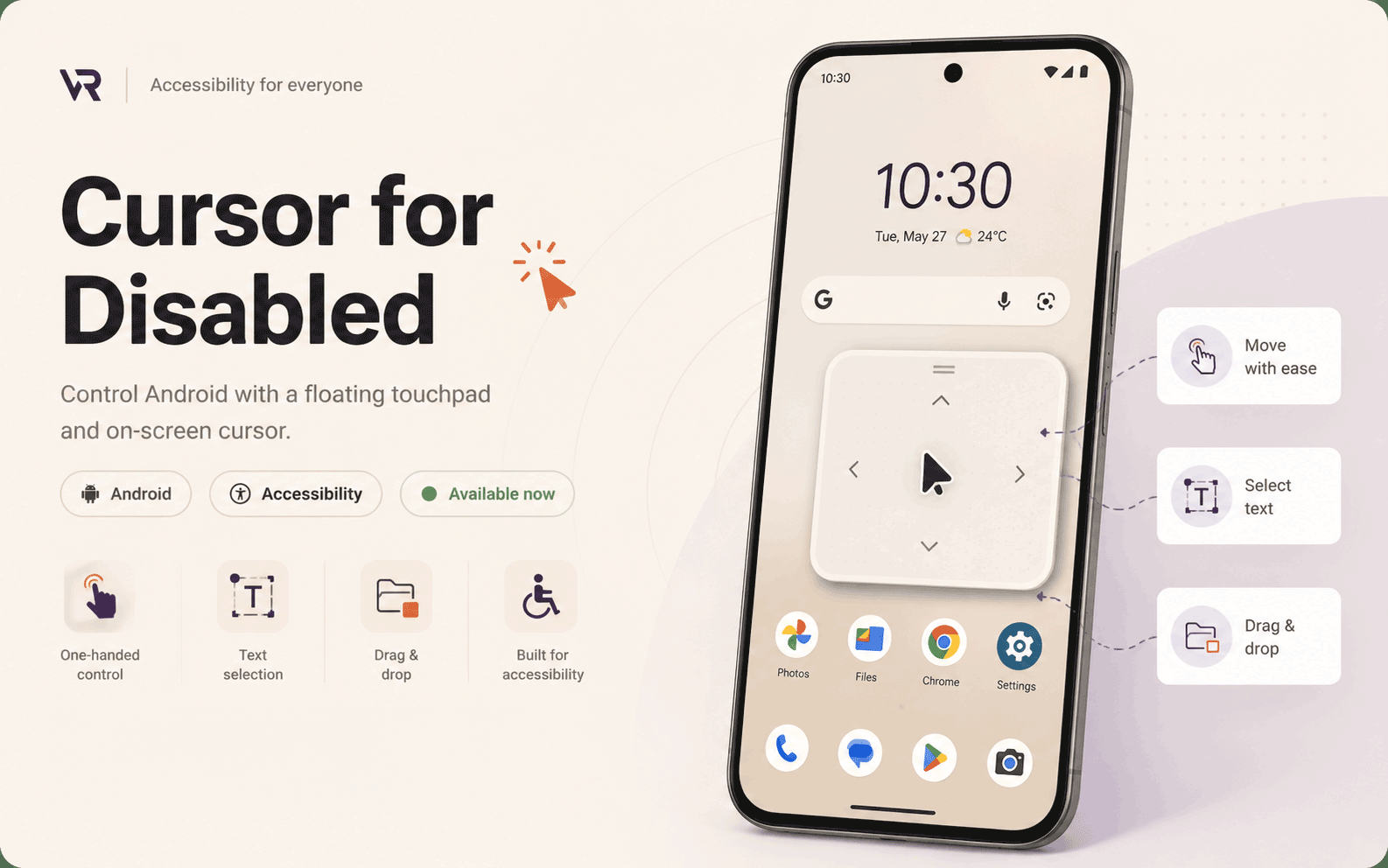
Control Android with a floating touchpad and on-screen cursor designed for one-handed access, precision control, drag-and-drop, and accessible text editing.
The problem
Where the barrier is.
Smartphones are powerful, but controlling a large screen with one hand or limited mobility is still difficult. Reaching across the display, selecting text, tapping small targets, and performing drag-and-drop can create real access barriers.
What it does
How it helps.
A precise floating touchpad and on-screen cursor for Android that lets users click, scroll, move, select text, copy, paste, delete, and drag items from a more reachable control surface. Size, sensitivity, theme, haptics, diagnostics, and app-specific compatibility profiles make the experience easier to tune.
The impact
What it changes.
The app gives people with motor impairments, one-handed users, and large-screen device users a more stable and controllable interaction system for everyday phone use without forcing difficult gestures or full-screen reach.
In depth
How it works.
Cursor for Disabled is an Android accessibility app that adds a floating touchpad and on-screen cursor, making precise phone control easier without reaching across the full screen. It helps people move a cursor, click, scroll, edit text, and perform drag-and-drop actions through a more reachable interface. The app includes compatibility profiles for specific apps, diagnostics for troubleshooting, and customization for size, sensitivity, theme, and haptics. It is designed for one-handed phone use, users with motor impairments, people who struggle with small touch targets, and large phone or tablet users.
Built with
- Android
- Floating Touchpad
- On-screen Cursor
- Drag and Drop
- Accessible Text Editing
- Compatibility Profiles
- Haptics
- Google Play
Get it & links
Available project links are listed below.